 WIKI

Merchants’ Guild
Take a supply job, gather the goods and earn Battle Points. The Guild sells the stock that players deliver.
Guild jobs and Battle Points are for VIP accounts only. Accounts without VIP can still buy supplies.
Find the Guild Office
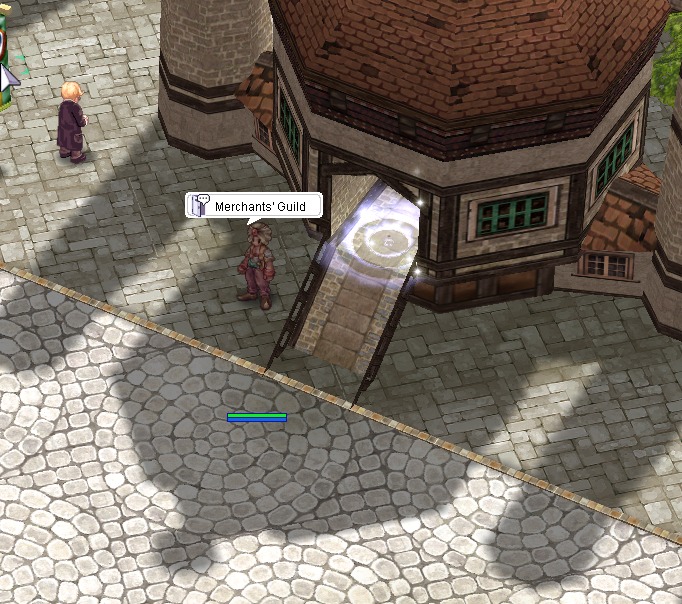
Enter the Guild Office through the glowing doorway at Prontera (137, 187).
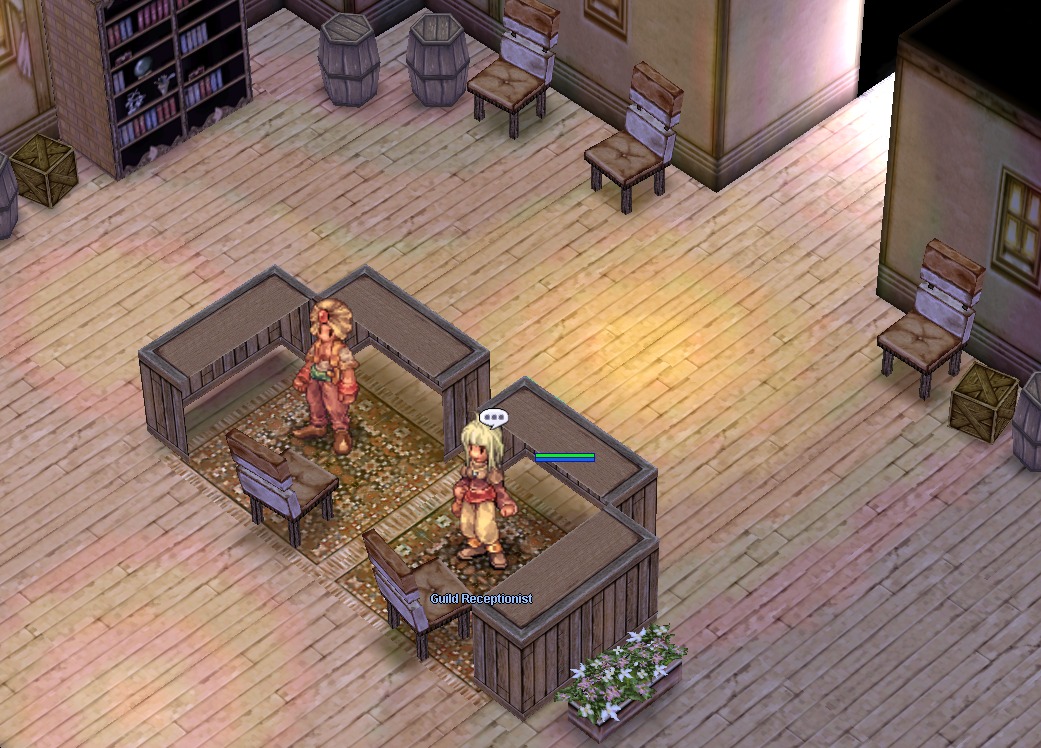
Inside (prt_in, around 38, 106), the Guild Receptionist takes deliveries. The Supplies Officer beside the Receptionist sells the stock.
Take and finish a job
- Open the Battle Pass window with Ctrl+P or the poring button.
- Choose a job on the Job Board tab. Jobs are first come first served, and you can hold one at a time.
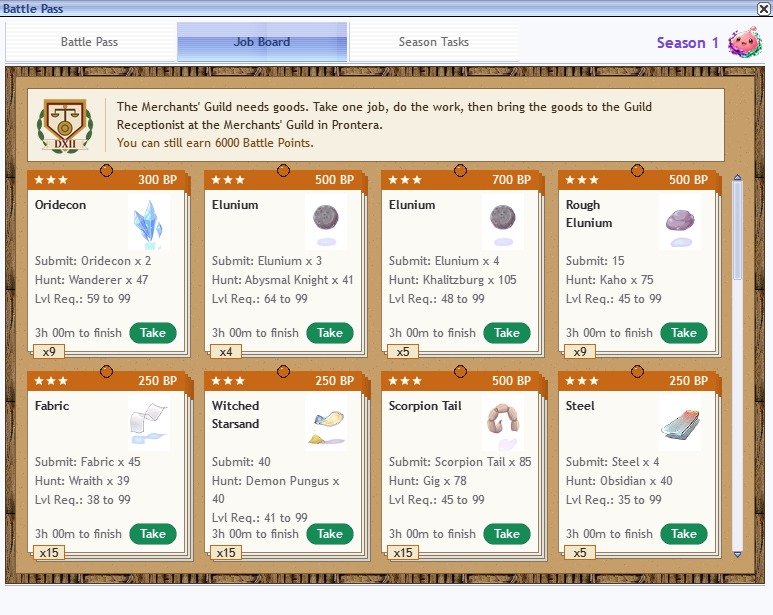
The Job Board shows the requested goods, hunt targets, time limits and Battle Points. - Gather the requested goods before the job expires.
- Hand them to the Guild Receptionist in the Guild Office to receive Battle Points.
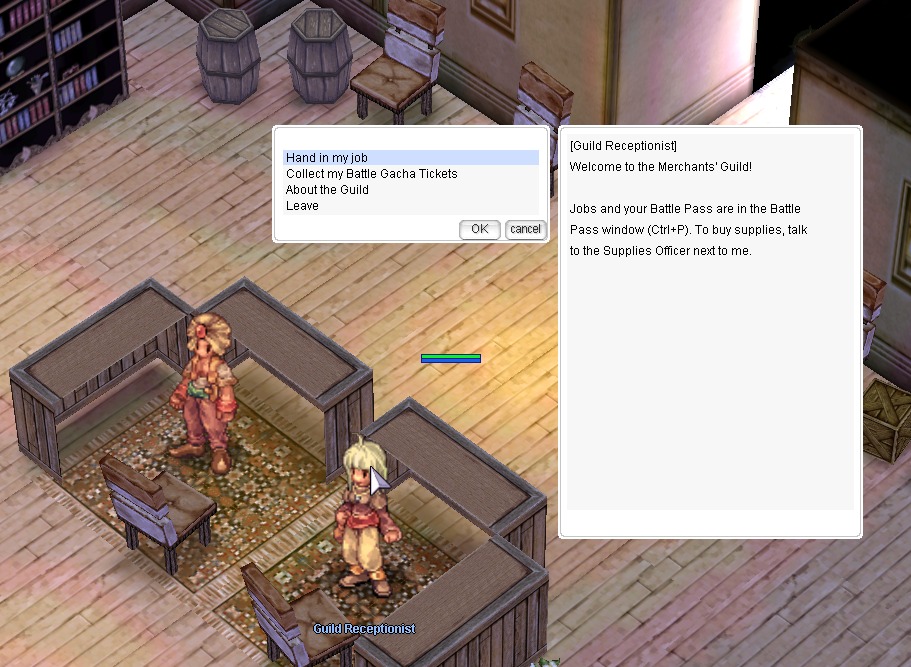
Choose “Hand in my job” at the Guild Receptionist.
Merchant Guild hunt jobs count kills made by your party members too, as long as they are on the same map and close to the fight.
Jobs appear when a shelf runs low. There is no notice board NPC; take jobs in the Battle Pass window. A short in-game notice appears when the job board updates each day.
If you drop or miss a job
Dropping a job or running out of time means a wait of at least 3 hours before you can take another. Repeated lapses make the wait longer.
Buy supplies
Anyone can buy from the Supplies Officer, with or without VIP. He sells the materials that players delivered, in lots.
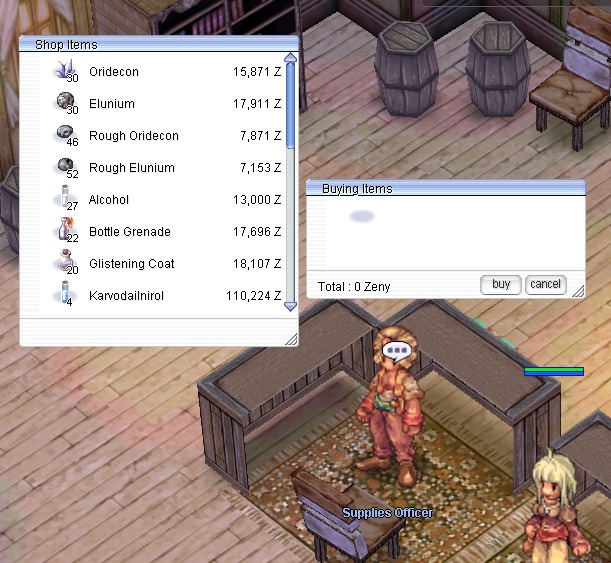
Prices change each day with stock. Scarce goods cost more and well-stocked goods cost less; the price also rises as a shelf empties.
Use your Battle Points
Guild jobs and season tasks feed the shared progress bar in Battle Pass Season 1.